2
Website deployed in Docker with AWS ECS-Fargate Service and image Register in ECR
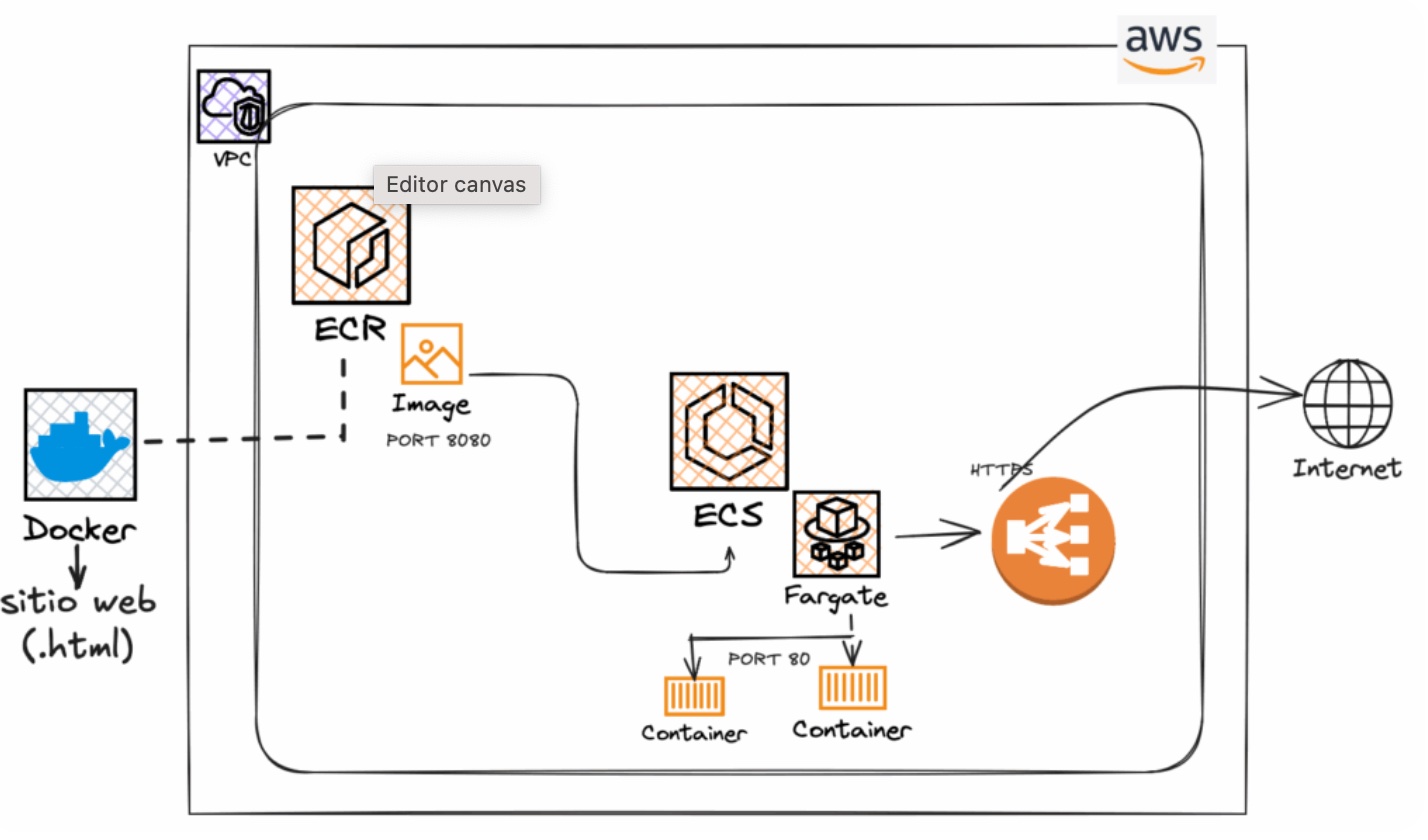
A website is deployed using Docker, its image is registered in ECR for subsequent deployment and configuration via AWS ECS - Fargate service.
Application Architecture and Tools
- Static Website (.html)
- Dockerfile
- AWS ECR Registry
- Service AWS ECS — Fargate service
- OrbStack console (Docker Engine)
- Developer Tool as VSCode IDE
Final Implementation
- Create the INDEX.HTML file, DOCKERFILE, and IMAGE.
- Upload the IMAGE to the repository in the AWS account's ECR.
- Deploy the image to ECS-Fargate.
- Expose and browse the website.
- If adjustments are needed, create a new version (REVISION).
- Finally, configure the application managed by ECS-Fargate to be exposed to the internet via a secure protocol using an Application Load Balancer.
github.com/connyval/Project-ECR_ECS_FARGATE
Graphical Technical Design
1
Application deployed in Docker Container
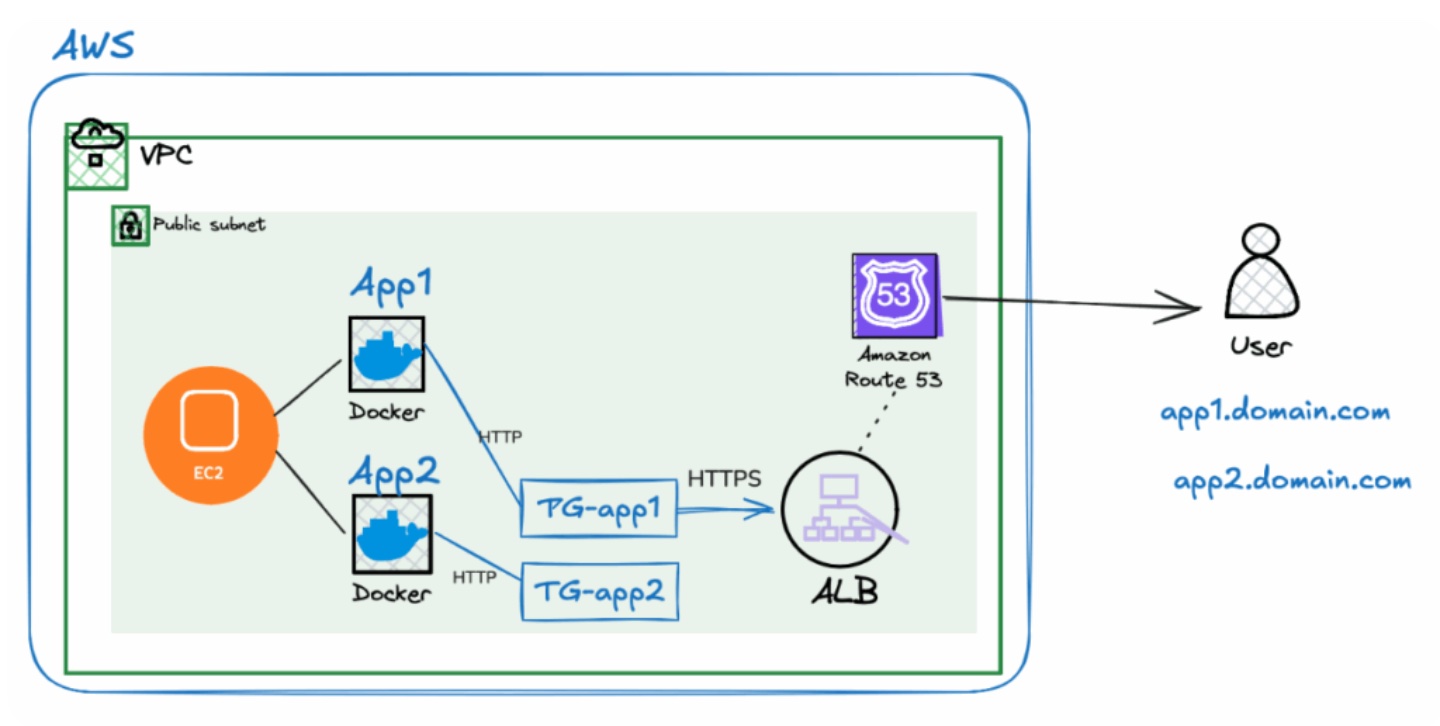
The N8N application was deployed to create automations and integrations with Artificial Intelligence. It was implemented using a Docker container with the subdomain https://n8n.ocvpprofessional.cloud/, including a secure server certificate. An Application Load Balancer was also configured to orchestrate requests for two applications running under the same balancer.
Application Architecture and Tools
- Amazon VPC (SUBNETS, SECURITY GROUPS, INTERNET GATEWAY)
- Amazon EC2 (linux) deploy DOCKER Container — Nginx webserver
- AWS Certificate Manager
- Amazon Route 53
- Amazon Application Load Balancer — (2) Target Groups
- Deployed N8N application
Final Implementation
- In Amazon VPC network to isolate the project's resources, including both public and private subnets across Availability Zones in the Virginia region.
- Configured properly NCLs in the public subnet and integrated an Internet Gateway to enable secure internet access for EC2.
- Deployed an Amazon EC2 virtual machine with the N8N application by Docker and Nginx as webserver, generating one container for application and database.
- Configured properly inbound and outbound ports to access through Security Groups, for available http and https protocols.
- Registered and configured the DNS zone and basic records in Amazon Route 53 to route traffic for the subdomain: n8n.ocvpprofessional.cloud.
- Set up an SSL certificate through AWS Certificate Manager for subdomain, enabling secure communication over port 443 (HTTPS).
- Configured (2) Target groups in Application Load Balancer, because there are main professional website and N8N application in the same hosting.
Finally, Application Load Balancer serves traffic to two websites by https protocols without conflict.
Graphical Technical Design